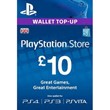
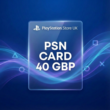
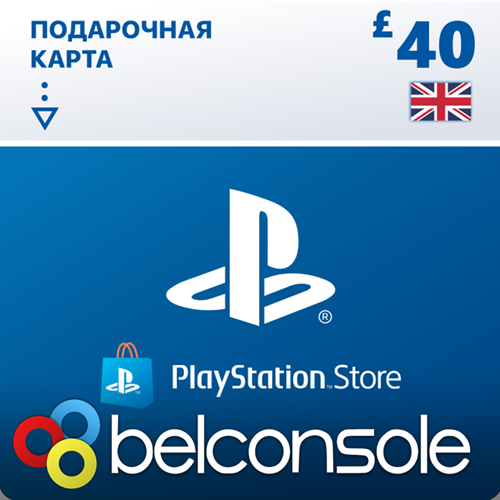
🔶PlayStation PSN Card £40 (GBP) UK Official Key
Content: text (0 symbol)
Available: 13
Uploaded: 12.10.2026
Positive responses: 106
Negative responses: 0
Sold: 1921
Refunds: 0
~ $79.39
The exact amount is on the payment page

💳We accept various payment methods:
- SBP (Faster Payments System) – NO COMMISSION. The price remains the same!
- Bank card
- ERIP – BELARUS
🔒Your purchase is guaranteed by Belconsole—the first international company with a physical store (not a private individual) on e-market.su—as well as by its founder personally, Vladimir Bychinov.- SBP (Faster Payments System) – NO COMMISSION. The price remains the same!
- Bank card
- ERIP – BELARUS
We are a holding company of family-run businesses operating since 2007 (and on e-market.su since 2009), and we are official dealers for all major distributors in the CIS region.Belconsole is the only digital game distributor in the CIS that operates a physical store.
Our store has processed OVER A MILLION purchases on e-market.su alone.You are purchasing a licensed £40 PSN key.
********************************************************
Activation: PlayStation
Publisher: Sony Interactive
►Activation Region: UK
********************************************************
►If you use a VPN to activate the code or create a new account, the VPN will NOT help with the activation process. We do not guarantee that the code will work or activate via VPN.
How to create a UK account using a PC or mobile browser
IMPORTANT! You create the account yourself using your own device.Instructions: No VPN required. Access via a mobile or PC browser (please read the instructions carefully before proceeding).
1.Create a new user on your console (if you want to access your library from your main account*).
2.Create a new email address using any popular service (Gmail, Mail, Rambler, etc.).
3.Create a new PSN account. You can do this via this link: https://id.sonyentertainmentnetwork.com/id/create_account_ca/
4.At the second step, select your desired country: United Kingdom.
5.Enter your email address.
Verify the account using the new email.
6.When logging into the Sony website, you will be asked to enter a nickname and an address.
Use this site: https://www.fakexy.com/fake-address-generator-uk
7.Once the account is created and verified, log in to it on your console using a new user profile.
8.Your first (RU) account must be set as the primary account on the console.
9.Enjoy a working PS Store!
NOT ALL GAMES SUPPORT THE RUSSIAN LANGUAGE FOR THE UK REGION. How to check:
Go to https://www.playstation.com/en-gb/, select the game you are interested in, and scroll down to the section listing the publisher. "Voice" setting: Russian = Russian audio"Screen languages" setting: Russian = Russian subtitles
Example: https://prnt.sc/al0zCYH9gG6Y 🛒►More of our products:
• PSN 50 ZL PLN https://e-market.su/item/2231403
• PSN 100 ZL PLN https://e-market.su/item/4282601
• PSN 200 ZL PLN https://e-market.su/item/3468686
• PSN 300 ZL PLN https://e-market.su/item/4363385
• PSN 500 ZL PLN https://e-market.su/item/4363406
• PSN 650 ZL PLN https://e-market.su/item/4363411
---
• PSN 10 GBP UK https://e-market.su/item/2903788
• PSN 20 GBP UK https://e-market.su/item/2315627
• PSN 50 GBP UK https://e-market.su/item/3112409
• PSN 70 GBP UK https://e-market.su/item/2787725
• PSN 100 GBP UK https://e-market.su/item/2713913
---
• PSN 5 USD https://e-market.su/item/4089426
• PSN 10 USD https://e-market.su/item/3017108
• PSN 25 USD https://e-market.su /psn-25-usd-usa-offic
• You are purchasing from an international, family-owned company with strong values, not from a private individual.
• We have been on the market for over 17 years and have served more than 1,000,000 customers during that time.
• On the Plati platform alone, we have recorded over 1,000,000 sales and received more than 9,500 positive reviews in the last year.
• We offer a wide range of products at record-low online prices.
• We hold an official WebMoney Business Level rating of over 1,200.
• We are an authorized dealer for all major distributors in the CIS region.
• If you are satisfied with your purchase, please leave a review in the section below the product listing; this is very important to us.
• If you encounter any activation issues, please contact us via the messaging section below the product listing.
• We cannot provide technical support regarding keys via Skype, phone, etc.; support is handled exclusively through the messaging section below the product listing.
• By making a purchase, you acknowledge that you have read the product description and confirm that this is the specific product you need.
• Digitally distributed keys purchased by mistake (due to buyer oversight) are non-exchangeable and non-refundable.
• Before purchasing, please carefully review the product description, including activation regions, release dates (for pre-orders), and activation platforms.
• We have been on the market for over 17 years and have served more than 1,000,000 customers during that time.
• On the Plati platform alone, we have recorded over 1,000,000 sales and received more than 9,500 positive reviews in the last year.
• We offer a wide range of products at record-low online prices.
• We hold an official WebMoney Business Level rating of over 1,200.
• We are an authorized dealer for all major distributors in the CIS region.
• If you are satisfied with your purchase, please leave a review in the section below the product listing; this is very important to us.
• If you encounter any activation issues, please contact us via the messaging section below the product listing.
• We cannot provide technical support regarding keys via Skype, phone, etc.; support is handled exclusively through the messaging section below the product listing.
• By making a purchase, you acknowledge that you have read the product description and confirm that this is the specific product you need.
• Digitally distributed keys purchased by mistake (due to buyer oversight) are non-exchangeable and non-refundable.
• Before purchasing, please carefully review the product description, including activation regions, release dates (for pre-orders), and activation platforms.
08.10.2026 6:16:05
Код пришел очень быстро!
07.10.2026 20:24:05
Все сработало, как всегда
09.09.2026 18:47:56
все работает
25.08.2026 20:19:13
код пришёл мгновенно, рабочий
22.08.2026 21:58:46
Супер
15.08.2026 22:02:30
Спасибо продавцу, ключ пришёл моментально!!!
02.06.2026 14:54:21
Супер!
14.02.2026 1:30:03
Отличный магазин👍🏻код пришел мгновенно
13.02.2026 19:56:52
Код пришёл мгновенно, рабочий!
13.02.2026 11:26:23
работает