Arena Breakout Infinite. Scripts for Logitech. Pack 6 - for the Steam version only
Content: Arena_Breakout_Infinite-FAL-G3-SCAR_L-SG550-logitech.zip (5.40 KB)
Uploaded: 27.10.2025
Positive responses: 0
Negative responses: 0
Sold: 2
Refunds: 0
~ $4.76
The exact amount is on the payment page

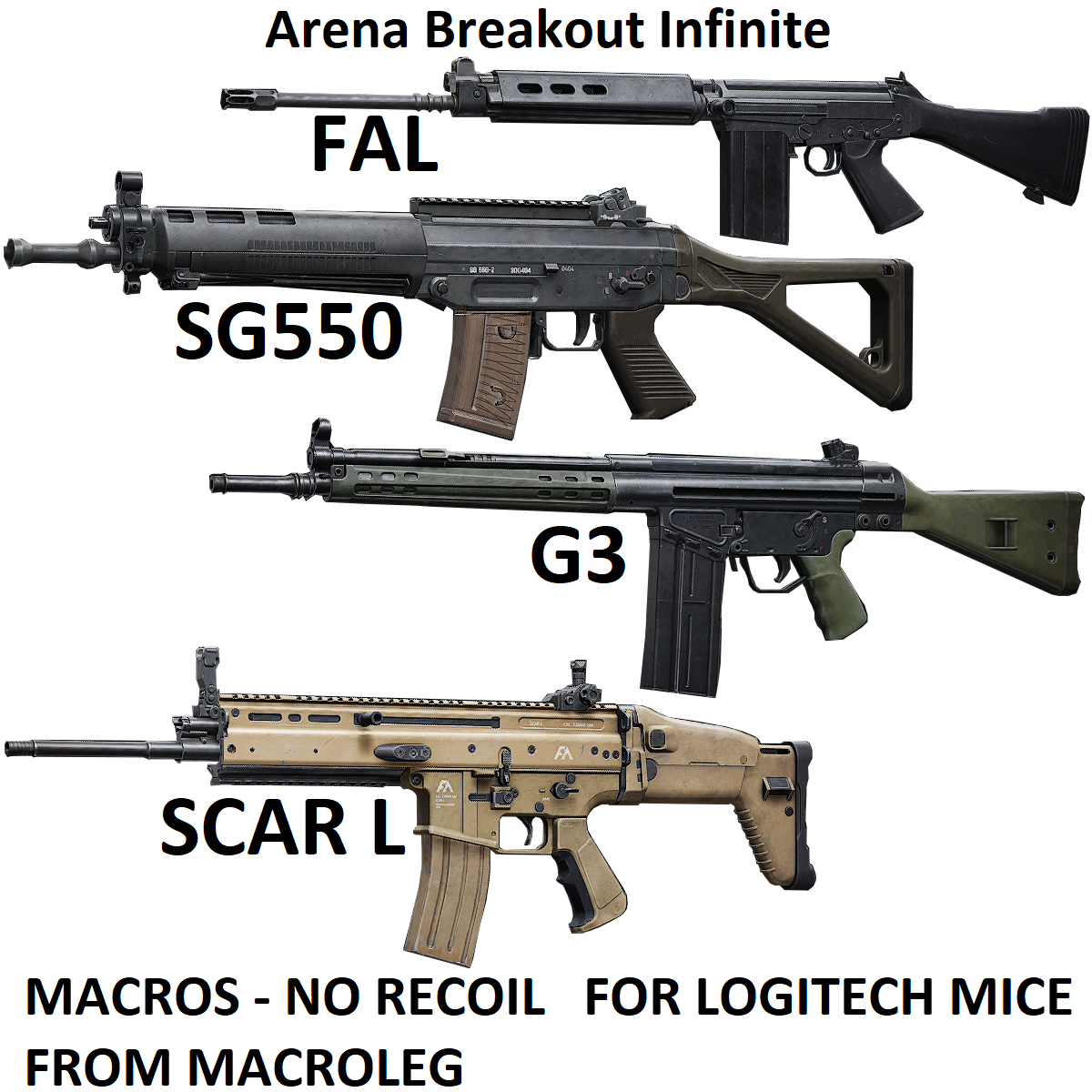
!!! . For the scripts to work, the game must be launched via Steam. If you launch the game using the original launcher, you will get BANNED !!!Adjustable No Recoil scripts for Logitech mice in Arena Breakout Infinite remove vertical recoil for the FAL, G3, SCAR_L, SG550 almost completely at the start of shooting. There is no horizontal recoil compensation. Your mouse must be supported by the GHUB software.
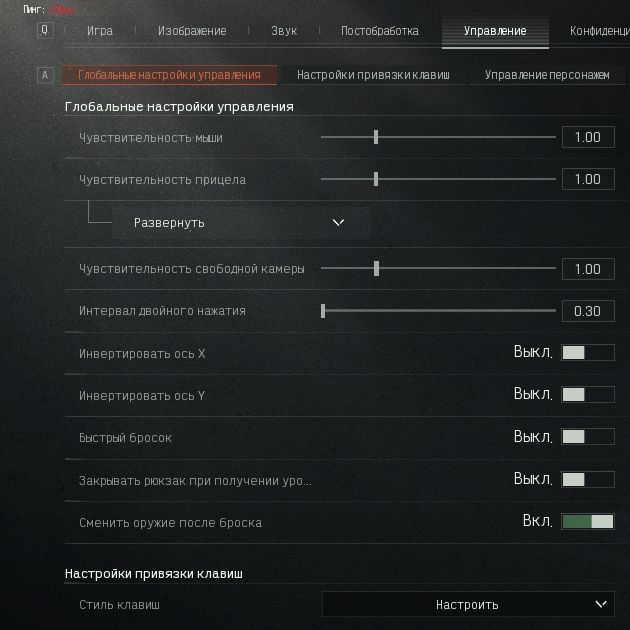
The scripts were created for the following in-game mouse sensitivity settings: ADS sensitivity: 1.00, 4x scope: 1.00, 1x scope: 1.00, FOV: 90
Recoil and ammo data used for tuning:
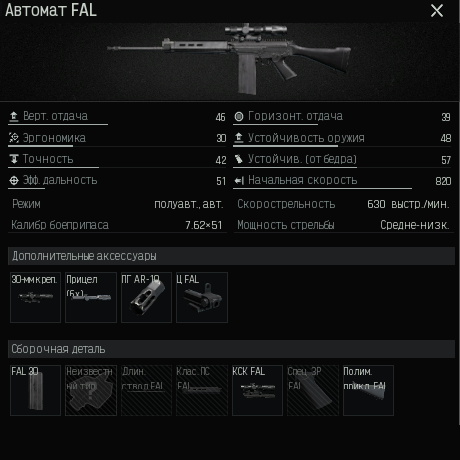
FAL — vertical recoil: 46, optics: 1x/4x, ammo: M80
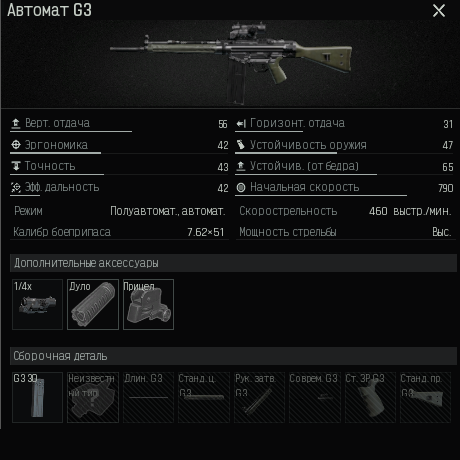
G3 — vertical recoil: 60, optics: 1x/4x, ammo: M80
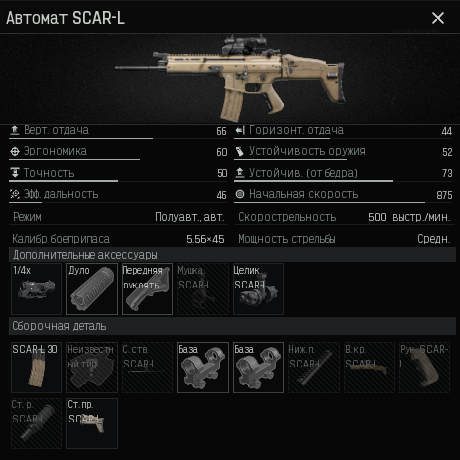
SCAR_L — vertical recoil: 66, optics: 1x/4x, ammo: FMJ
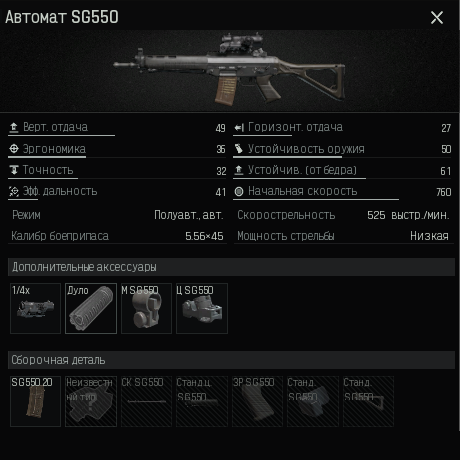
SG550 — vertical recoil: 49, optics: 1x/4x, ammo: FMJ
And the variables have the following values:
1x: LowX_multiplier = 1
4x: HighX_multiplier = 3
If you have a different loadout or different sensitivity settings, adjust these variables accordingly.
The numbers can be decimals, for example 0.7 or 1.6, etc.
Mouse Button 4 – activates the script for high magnification.
Left Shift + Mouse Button 4 – switches from automatic fire to single-shot mode while aiming. Hip-fire will remain in automatic mode. Pressing Left Shift + Mouse Button 4 again returns to automatic fire.
Left Shift + Mouse Button 5 – disables the script.
Scroll Lock OFF – turns off when you press Left Shift + Mouse Button 5.
Scroll Lock BLINK – flashes when switching between different modes.
G3: https://www.youtube.com/watch?v=WKl2u1IwG4o&t=619s
SCAR-L: https://www.youtube.com/watch?v=WKl2u1IwG4o&t=495s
SG550: https://www.youtube.com/watch?v=WKl2u1IwG4o&t=586sProblems that can occur with Logitech and how to solve them!!!In some games, scripts may not work if you are using GHUB version 2022.3.242300 or later. If you encounter this problem, use a GHUB version earlier than 2021.3.
You can download GHUB version 2021.3 using the link below: https://drive.google.com/file/d/1ffXNTp5iQZ8woltyIj7CKkeY6Oz6ux3x/view
After installation, immediately disable automatic updates in the GHUB settings.
The scripts were created for the following in-game mouse sensitivity settings: ADS sensitivity: 1.00, 4x scope: 1.00, 1x scope: 1.00, FOV: 90
Recoil and ammo data used for tuning:
FAL — vertical recoil: 46, optics: 1x/4x, ammo: M80
G3 — vertical recoil: 60, optics: 1x/4x, ammo: M80
SCAR_L — vertical recoil: 66, optics: 1x/4x, ammo: FMJ
SG550 — vertical recoil: 49, optics: 1x/4x, ammo: FMJ
And the variables have the following values:
1x: LowX_multiplier = 1
4x: HighX_multiplier = 3
If you have a different loadout or different sensitivity settings, adjust these variables accordingly.
The numbers can be decimals, for example 0.7 or 1.6, etc.
In-game settings for the script:
Right mouse button - aiming (hold the right button in a pressed state).The script controls:
Mouse Button 5 – activates the script for low magnification.Mouse Button 4 – activates the script for high magnification.
Left Shift + Mouse Button 4 – switches from automatic fire to single-shot mode while aiming. Hip-fire will remain in automatic mode. Pressing Left Shift + Mouse Button 4 again returns to automatic fire.
Left Shift + Mouse Button 5 – disables the script.
Indication of mode switching:
Scroll Lock ON – lights up when you press Mouse Button 5 or Mouse Button 4.Scroll Lock OFF – turns off when you press Left Shift + Mouse Button 5.
Scroll Lock BLINK – flashes when switching between different modes.
!!!
Recoil compensation will only work when aiming, that is, when both the right and left mouse buttons are pressed. If the right mouse button is not pressed, the left mouse button will function normally.
Recoil compensation will only work when aiming, that is, when both the right and left mouse buttons are pressed. If the right mouse button is not pressed, the left mouse button will function normally.
VIDЕО:
FAL: https://www.youtube.com/watch?v=WKl2u1IwG4o&t=121sG3: https://www.youtube.com/watch?v=WKl2u1IwG4o&t=619s
SCAR-L: https://www.youtube.com/watch?v=WKl2u1IwG4o&t=495s
SG550: https://www.youtube.com/watch?v=WKl2u1IwG4o&t=586sProblems that can occur with Logitech and how to solve them!!!In some games, scripts may not work if you are using GHUB version 2022.3.242300 or later. If you encounter this problem, use a GHUB version earlier than 2021.3.
You can download GHUB version 2021.3 using the link below: https://drive.google.com/file/d/1ffXNTp5iQZ8woltyIj7CKkeY6Oz6ux3x/view
After installation, immediately disable automatic updates in the GHUB settings.
Previously, when using a game profile in Logitech Gaming Software, there were cases where users received bans. The problem was resolved by using a Desktop profile with the Persistent attribute. No such issue has been observed with G HUB. However, as a precaution, I recommend using a Desktop profile with the Persistent attribute so that the scripts work in any game.
GHUB must be run with administrator privileges.
Third-party programs that can use the mouse´s side buttons, such as Discord, may cause issues with running the scripts, so keep this in mind.
You should also be familiar with your mouse button numbering. After payment you will receive a link to download the archive with macros. If you accidentally closed the page with this link, you can return it by clicking on the link in the letter that came to your e-mail after payment. You can also go to your personal account at oplata.info and your purchase will be displayed there.
IF YOU HAVEN´T FOUND THE RIGHT MACRO ON SALE. THEN I CAN MAKE YOU A MACRO FOR A CERTAIN PAYMENT.
!!! If you can´t pay with a bank card. Then you need Litecoin and get it easy:
1. Sign up for Payeer: https://payeer.com/?session=13084023
2. Register with the European Exchanger: https://changer4u.com/ru/aff/e60c9d86e365ae81439dedefa2ad227e3ac569d6
3. Replenish Payeer with an exchanger.
4. In Payeer replenish Litecoin.
5. When buying, choose Litecoin from the payment methods.
When paying with Litecoin, there is no banking commission and the price of the item is lower.
You can also pay with skins from Steam: zen.yandex.ru/video/watch/65c05a87bf878653f5ccff1d
1. Sign up for Payeer: https://payeer.com/?session=13084023
2. Register with the European Exchanger: https://changer4u.com/ru/aff/e60c9d86e365ae81439dedefa2ad227e3ac569d6
3. Replenish Payeer with an exchanger.
4. In Payeer replenish Litecoin.
5. When buying, choose Litecoin from the payment methods.
When paying with Litecoin, there is no banking commission and the price of the item is lower.
You can also pay with skins from Steam: zen.yandex.ru/video/watch/65c05a87bf878653f5ccff1d
No feedback yet