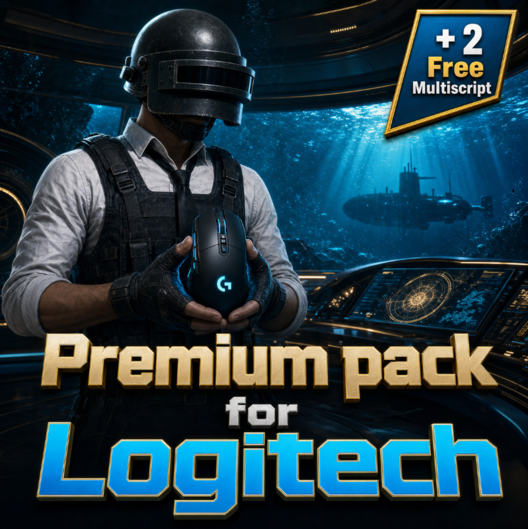
Premium macro pack (all builds, customized for your needs + 2 multiscript)
Content: Premium FULL PACK LOGITECH_2.zip (90.92 MB)
Uploaded: 11.07.2026
Positive responses: -1
Negative responses: 0
Sold: -1
Refunds: -1
Seller: TopMacro
information about the seller and its items
Loyalty discount! If the total amount of your purchases from the seller more than:
| $5 | the discount is | 5% |
| $15 | the discount is | 10% |
| $30 | the discount is | 15% |
| $50 | the discount is | 20% |
| $100 | the discount is | 25% |
| $200 | the discount is | 30% |
~ $32.61
The exact amount is on the payment page
## MANDATORY REQUIREMENTS
**Mouse:** Logitech G Series
Supported mouse models include, but may not be limited to:
Logitech G Pro, MX518, G102, G305, G403, G402, G502, G603, G604, G703, G903, G900, G302, G303, and others.
**Logitech G Pro Wireless is supported.**
Works with all versions of Windows and Logitech G HUB.
Please note that this is not a cheat and is not related to prohibited software.
The archive contains one `.lua` script that must be installed in Logitech G HUB.
The main difference between the **Premium Pack** and the standard pack is that the Premium Pack includes every possible combination of weapons, scopes, attachments, stances, and more.
You can also request **two multiscripts of any size free of charge** from the seller. Contact us on Telegram for more details.
### Multiscript
We can configure convenient key combinations for quickly switching between any macros. The number of key bindings can be increased or reduced depending on your preferences.
Example configuration:
ACE32 — G5 + Left Ctrl
AKM — G5 + Left Shift
AUG — G5 + Left Alt
BERYL — G5 + Right Ctrl
BIZON — G5 + Right Shift
DP-28 — G5 + Right Alt
FAMAS — G4 + Left Ctrl
G36C — G4 + Left Shift
GROZA — G4 + Left Alt
JS9 — G4 + Right Ctrl
K2 — G4 + Right Shift
M249 — G4 + Right Alt
M416 — G6 + Left Ctrl
MG3 — G6 + Left Shift
MP9 — G6 + Left Alt
MP5K — G6 + Right Ctrl
P90 — G6 + Right Shift
QBZ — G6 + Right Alt
SCAR-L — G3 + Left Ctrl
THOMPSON — G3 + Left Shift
UMP9 — G3 + Left Alt
UZI — G3 + Right Ctrl
VECTOR — G3 + Right Shift
⚙️ **In-Game Sensitivity**
By default, this pack is configured for the standard in-game sensitivity settings. Go to **Game Settings → Controls → Mouse Sensitivity** and click the **Default** button.
If you prefer playing with different sensitivity settings, you can contact the seller after purchase via Telegram or the Oplata.info chat and request a replacement pack configured for any other sensitivity settings.
💡 **Tip:**
Changing your mouse DPI may also help make the game more comfortable.
This will not affect how the macros work.
🛠 **Macro Features:**
* Each macro is created separately for every weapon configuration, taking its unique recoil into account.
* The pack includes macros for all stances: standing, crouching, and prone.
* Maximum possible recoil control.
* The pack also includes macros with LMB + RMB protection. These macros are activated only when both the right and left mouse buttons are held down. This prevents accidental activation while throwing grenades, looting, or performing other actions.
📦 **This Premium Pack includes macros for every weapon and every possible weapon configuration.**
⚠️ **WARNING:**
PUBG has strong random vertical and horizontal recoil. Therefore, it is impossible to create a macro that compensates for recoil perfectly in 100% of situations.
⚠️ **IMPORTANT:**
All macros have been thoroughly tested. If a macro pulls the crosshair strongly upward or downward, the issue is on your side in 99% of cases.
Contact the seller, and we will be happy to help you resolve the issue.
💾 **Receiving the Archive:**
Immediately after payment, you will receive a download link for the archive containing the macros and installation instructions.
📧 The download link will also be sent to the email address you provided during payment.
🌐 All your purchases are available in your personal account at:
https://oplata.info
📖 **Useful Links:**
🔹 Macro installation guide:
https://topmacro.net/en/how-to-install-a-macro
🔹 More information about PUBG and supported macros:
https://topmacro.net/en/macro-pubg
We hope you enjoy playing with macros from TopMacro!
**Mouse:** Logitech G Series
Supported mouse models include, but may not be limited to:
Logitech G Pro, MX518, G102, G305, G403, G402, G502, G603, G604, G703, G903, G900, G302, G303, and others.
**Logitech G Pro Wireless is supported.**
Works with all versions of Windows and Logitech G HUB.
Please note that this is not a cheat and is not related to prohibited software.
The archive contains one `.lua` script that must be installed in Logitech G HUB.
The main difference between the **Premium Pack** and the standard pack is that the Premium Pack includes every possible combination of weapons, scopes, attachments, stances, and more.
You can also request **two multiscripts of any size free of charge** from the seller. Contact us on Telegram for more details.
### Multiscript
We can configure convenient key combinations for quickly switching between any macros. The number of key bindings can be increased or reduced depending on your preferences.
Example configuration:
ACE32 — G5 + Left Ctrl
AKM — G5 + Left Shift
AUG — G5 + Left Alt
BERYL — G5 + Right Ctrl
BIZON — G5 + Right Shift
DP-28 — G5 + Right Alt
FAMAS — G4 + Left Ctrl
G36C — G4 + Left Shift
GROZA — G4 + Left Alt
JS9 — G4 + Right Ctrl
K2 — G4 + Right Shift
M249 — G4 + Right Alt
M416 — G6 + Left Ctrl
MG3 — G6 + Left Shift
MP9 — G6 + Left Alt
MP5K — G6 + Right Ctrl
P90 — G6 + Right Shift
QBZ — G6 + Right Alt
SCAR-L — G3 + Left Ctrl
THOMPSON — G3 + Left Shift
UMP9 — G3 + Left Alt
UZI — G3 + Right Ctrl
VECTOR — G3 + Right Shift
⚙️ **In-Game Sensitivity**
By default, this pack is configured for the standard in-game sensitivity settings. Go to **Game Settings → Controls → Mouse Sensitivity** and click the **Default** button.
If you prefer playing with different sensitivity settings, you can contact the seller after purchase via Telegram or the Oplata.info chat and request a replacement pack configured for any other sensitivity settings.
💡 **Tip:**
Changing your mouse DPI may also help make the game more comfortable.
This will not affect how the macros work.
🛠 **Macro Features:**
* Each macro is created separately for every weapon configuration, taking its unique recoil into account.
* The pack includes macros for all stances: standing, crouching, and prone.
* Maximum possible recoil control.
* The pack also includes macros with LMB + RMB protection. These macros are activated only when both the right and left mouse buttons are held down. This prevents accidental activation while throwing grenades, looting, or performing other actions.
📦 **This Premium Pack includes macros for every weapon and every possible weapon configuration.**
⚠️ **WARNING:**
PUBG has strong random vertical and horizontal recoil. Therefore, it is impossible to create a macro that compensates for recoil perfectly in 100% of situations.
⚠️ **IMPORTANT:**
All macros have been thoroughly tested. If a macro pulls the crosshair strongly upward or downward, the issue is on your side in 99% of cases.
Contact the seller, and we will be happy to help you resolve the issue.
💾 **Receiving the Archive:**
Immediately after payment, you will receive a download link for the archive containing the macros and installation instructions.
📧 The download link will also be sent to the email address you provided during payment.
🌐 All your purchases are available in your personal account at:
https://oplata.info
📖 **Useful Links:**
🔹 Macro installation guide:
https://topmacro.net/en/how-to-install-a-macro
🔹 More information about PUBG and supported macros:
https://topmacro.net/en/macro-pubg
We hope you enjoy playing with macros from TopMacro!
! All macros have been tested more than once, if any macros do not work as in the video, then in 99% of cases the problem is on your side. You can always contact the seller on the purchase page and they will help you.
BONUS! For leaving a positive review, you get a promo code for a 10% discount when buying any product from our store.
It´s very simple, to get a promo code you need to:
1) Click on the review "Good"
2) Leave your review and add "I want a promo" or "I want a discount"
BONUS! For leaving a positive review, you get a promo code for a 10% discount when buying any product from our store.
It´s very simple, to get a promo code you need to:
1) Click on the review "Good"
2) Leave your review and add "I want a promo" or "I want a discount"
No feedback yet