NEW STEAM ACCOUNT Kazakhstan/Ukraine/Turkey/Russia | Full Access
Content: text (0 symbol)
Available: 91
Uploaded: 26.09.2026
Positive responses: 0
Negative responses: 0
Sold: 18
Refunds: 0
Seller: LOOTIFY
information about the seller and its items
Loyalty discount! If the total amount of your purchases from the seller more than:
| $100 | the discount is | 1% |
| $1000 | the discount is | 2% |
| $10000 | the discount is | 3% |
~ $1.72
The exact amount is on the payment page
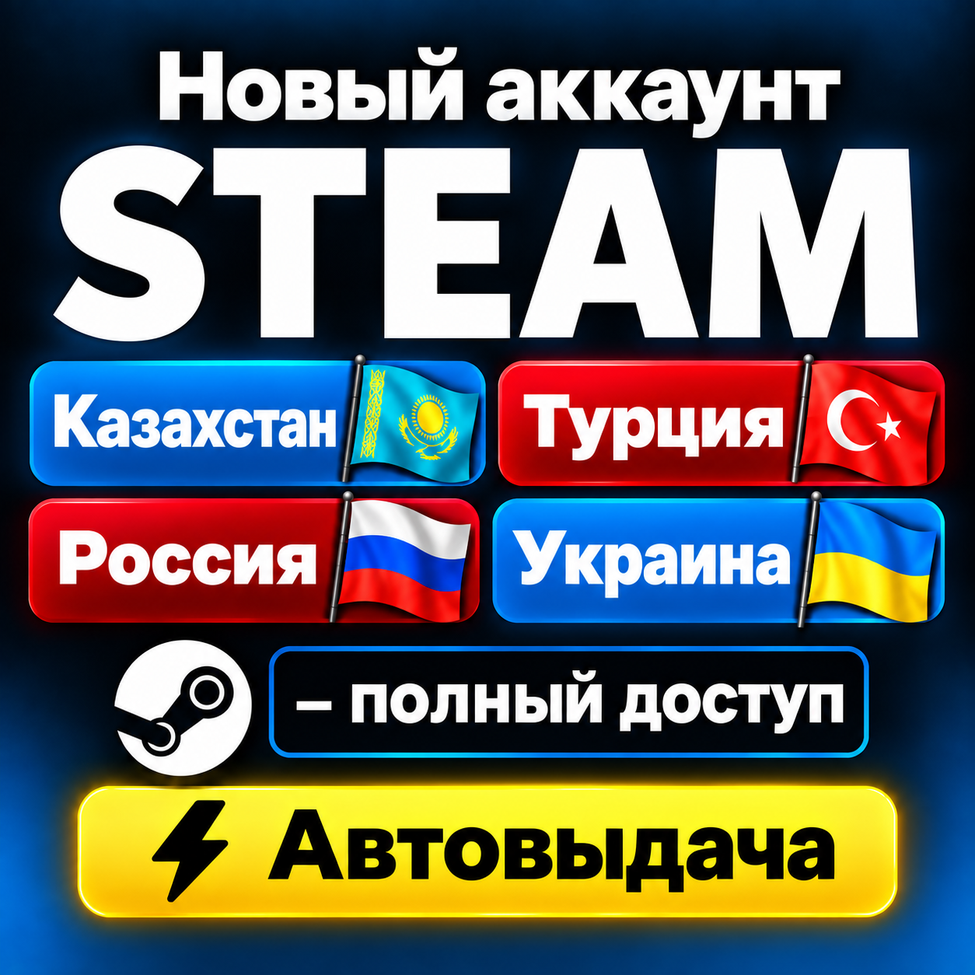
🎮 Steam Account with Region — Full Access
Unlock the full potential of Steam with a ready-to-use account for your chosen region! 🇰🇿 🇹🇷 🇺🇦 🇷🇺
Available regions:
🔹 Kazakhstan 🇰🇿
🔹 Turkey 🇹🇷
🔹 Ukraine 🇺🇦
🔹 Russia 🇷🇺
Upon payment, you will instantly receive login credentials and can start using the account to purchase games, DLCs, subscriptions, and other items from the Steam Store. Automated operates 24/7, and our support team is always available.
📦 What you get:
🔹 Steam login and password
🔹 Access to the account´s email address
🔹 Email password
🔹 Account set to your chosen region
⭐ Why choose us:
🔸 Ready-made Steam accounts for various regions
🔸 Automated immediately after payment
🔸 Full control over the account and email
🔸 All accounts are created manually
🔸 Post-purchase assistance and support
🔸 Affordable prices and quality service
🛡 Service benefits:
✔️ Account details are not stored after the sale
✔️ Reliable and secure service
✔️ Ability to make purchases based on the account´s region
✔️ Support regarding account usage
✔️ Accounts may be subject to Steam restrictions; conditions depend on the specific account
❗ Important:
The account region is set at the time of creation. Please select the desired region carefully before purchasing.
Once the account is received, responsibility for its security passes to the buyer. 💡 Recommendations after purchase:
🔹 Change your Steam password immediately
🔹 Change your email password
🔹 Link your own email address
🔹 Enable Steam Guard Mobile Authenticator
🔹 Use payment methods available for the selected region
🔹 Follow Steam rules and the User Agreement
📧 How do I change my email?
Go to the "Account Details" section, find the "Contact Info" block, and click "Change my email address."
Then, follow the Steam instructions to confirm the email change.
🔐 How do I change my password?
Open "Account Details," go to the "Account Security" section, and select "Change password."
After that, confirm the action using the security code.
💳 How do I top up my Steam balance?
The top-up method depends on the account´s selected region.
You can use:
🔹 A Steam Gift Card valid for the region
🔹 A payment method available for the specific region
🔹 Steam balance top-up services
Before topping up, ensure the chosen payment method is supported by your Steam region.
🛍 Choose the right region and start using Steam right now!
Get access to a vast catalog of games, DLC, subscriptions, and other Steam offers. 🎮💳✨
Unlock the full potential of Steam with a ready-to-use account for your chosen region! 🇰🇿 🇹🇷 🇺🇦 🇷🇺
Available regions:
🔹 Kazakhstan 🇰🇿
🔹 Turkey 🇹🇷
🔹 Ukraine 🇺🇦
🔹 Russia 🇷🇺
Upon payment, you will instantly receive login credentials and can start using the account to purchase games, DLCs, subscriptions, and other items from the Steam Store. Automated operates 24/7, and our support team is always available.
📦 What you get:
🔹 Steam login and password
🔹 Access to the account´s email address
🔹 Email password
🔹 Account set to your chosen region
⭐ Why choose us:
🔸 Ready-made Steam accounts for various regions
🔸 Automated immediately after payment
🔸 Full control over the account and email
🔸 All accounts are created manually
🔸 Post-purchase assistance and support
🔸 Affordable prices and quality service
🛡 Service benefits:
✔️ Account details are not stored after the sale
✔️ Reliable and secure service
✔️ Ability to make purchases based on the account´s region
✔️ Support regarding account usage
✔️ Accounts may be subject to Steam restrictions; conditions depend on the specific account
❗ Important:
The account region is set at the time of creation. Please select the desired region carefully before purchasing.
Once the account is received, responsibility for its security passes to the buyer. 💡 Recommendations after purchase:
🔹 Change your Steam password immediately
🔹 Change your email password
🔹 Link your own email address
🔹 Enable Steam Guard Mobile Authenticator
🔹 Use payment methods available for the selected region
🔹 Follow Steam rules and the User Agreement
📧 How do I change my email?
Go to the "Account Details" section, find the "Contact Info" block, and click "Change my email address."
Then, follow the Steam instructions to confirm the email change.
🔐 How do I change my password?
Open "Account Details," go to the "Account Security" section, and select "Change password."
After that, confirm the action using the security code.
💳 How do I top up my Steam balance?
The top-up method depends on the account´s selected region.
You can use:
🔹 A Steam Gift Card valid for the region
🔹 A payment method available for the specific region
🔹 Steam balance top-up services
Before topping up, ensure the chosen payment method is supported by your Steam region.
🛍 Choose the right region and start using Steam right now!
Get access to a vast catalog of games, DLC, subscriptions, and other Steam offers. 🎮💳✨
No feedback yet