PUBG Mobile UC Prepaid Code | 60–8100 UC | AUTO DELIVERY
Content: text (0 symbol)
Available: 1
Uploaded:
Positive responses: 0
Negative responses: 0
Sold: 0
Refunds: 0
~ $1.29
The exact amount is on the payment page
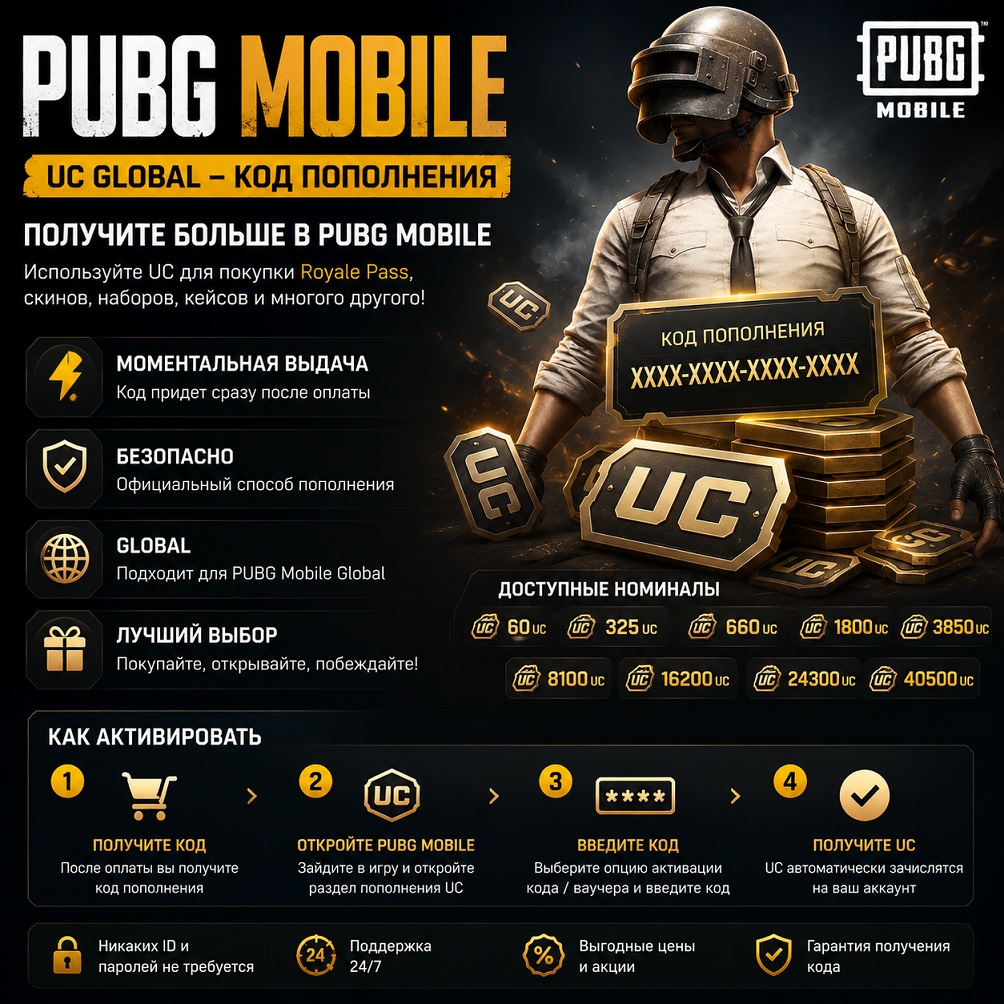
# 🎮 PUBG MOBILE UC GLOBAL | 60–40,500 UC | Instant issuance
After payment, you will receive an official PUBG Mobile UC Voucher for self-activation.
💎 UC can be used to purchase Royale Pass, skins, cases, in-game items, and participate in in-game events.
━━━━━━━━━━━━━━━━━━
## 💎 Available denominations
✔️ 60 UC
✔️ 325 UC
✔️ 660 UC
✔️ 1800 UC
✔️ 3850 UC
✔️ 8100 UC
✔️ 16200 UC
✔️ 24300 UC
✔️ 40500 UC
━━━━━━━━━━━━━━━━━━━
## ⭐ Benefits
⚡ Instant after payment
🌍 Compatible with PUBG Mobile Global
🔒 Secure activation
💯 Original digital product
🛠 Support if you have any questions
📅 24/7 support
━━━━━━━━━━━━━━━━━━━━━
## 📌 How to activate
1️⃣ After payment, you will receive a unique activation code.
2️⃣ Launch PUBG Mobile and open the UC top-up section.
3️⃣ Select code/voucher activation.
4️⃣ Enter the received code.
5️⃣ Confirm activation.
6️⃣ UC will be credited to your game account.
━━━━━━━━━━━━━━━━━━
## ⚠️ Important
• Account login and password are not required.
• Carefully select the desired denomination before purchasing.
• Returns are not possible once the digital item has been received.
• Keep the received code until successful activation.
━━━━━━━━━━━━━━━━━━
## 🎁 What can you buy with UC?
🔥 Royale Pass
🎮 Elite Pass
🔫 Weapon Skins
👕 Character Skins
🚗 Vehicle Skins
🎁 Cases and Bundles
🏆 Exclusive Game Events
━━━━━━━━━━━━━━━━━━━━
## ⭐ Why Choose Us
✔️ Automatic
✔️ Fast
✔️ Verified Supplier
✔️ Thousands of successful orders
✔️ Post-purchase support
Thank you for your purchase and enjoy the game!
After payment, you will receive an official PUBG Mobile UC Voucher for self-activation.
💎 UC can be used to purchase Royale Pass, skins, cases, in-game items, and participate in in-game events.
━━━━━━━━━━━━━━━━━━
## 💎 Available denominations
✔️ 60 UC
✔️ 325 UC
✔️ 660 UC
✔️ 1800 UC
✔️ 3850 UC
✔️ 8100 UC
✔️ 16200 UC
✔️ 24300 UC
✔️ 40500 UC
━━━━━━━━━━━━━━━━━━━
## ⭐ Benefits
⚡ Instant after payment
🌍 Compatible with PUBG Mobile Global
🔒 Secure activation
💯 Original digital product
🛠 Support if you have any questions
📅 24/7 support
━━━━━━━━━━━━━━━━━━━━━
## 📌 How to activate
1️⃣ After payment, you will receive a unique activation code.
2️⃣ Launch PUBG Mobile and open the UC top-up section.
3️⃣ Select code/voucher activation.
4️⃣ Enter the received code.
5️⃣ Confirm activation.
6️⃣ UC will be credited to your game account.
━━━━━━━━━━━━━━━━━━
## ⚠️ Important
• Account login and password are not required.
• Carefully select the desired denomination before purchasing.
• Returns are not possible once the digital item has been received.
• Keep the received code until successful activation.
━━━━━━━━━━━━━━━━━━
## 🎁 What can you buy with UC?
🔥 Royale Pass
🎮 Elite Pass
🔫 Weapon Skins
👕 Character Skins
🚗 Vehicle Skins
🎁 Cases and Bundles
🏆 Exclusive Game Events
━━━━━━━━━━━━━━━━━━━━
## ⭐ Why Choose Us
✔️ Automatic
✔️ Fast
✔️ Verified Supplier
✔️ Thousands of successful orders
✔️ Post-purchase support
Thank you for your purchase and enjoy the game!
📌 How to activate:
1. Receive a code after payment.
2. Open PUBG Mobile → UC Top-up section.
3. Enter the received code/key.
4. UC will be automatically credited to your account.
1. Receive a code after payment.
2. Open PUBG Mobile → UC Top-up section.
3. Enter the received code/key.
4. UC will be automatically credited to your account.
No feedback yet