CANVA PRO 1 / 3 / 6 MONTHS | YOUR ACCOUNT
Content: text (0 symbol)
Available: 1
Uploaded:
Positive responses: 0
Negative responses: 0
Sold: 1
Refunds: 0
~ $1.06
The exact amount is on the payment page
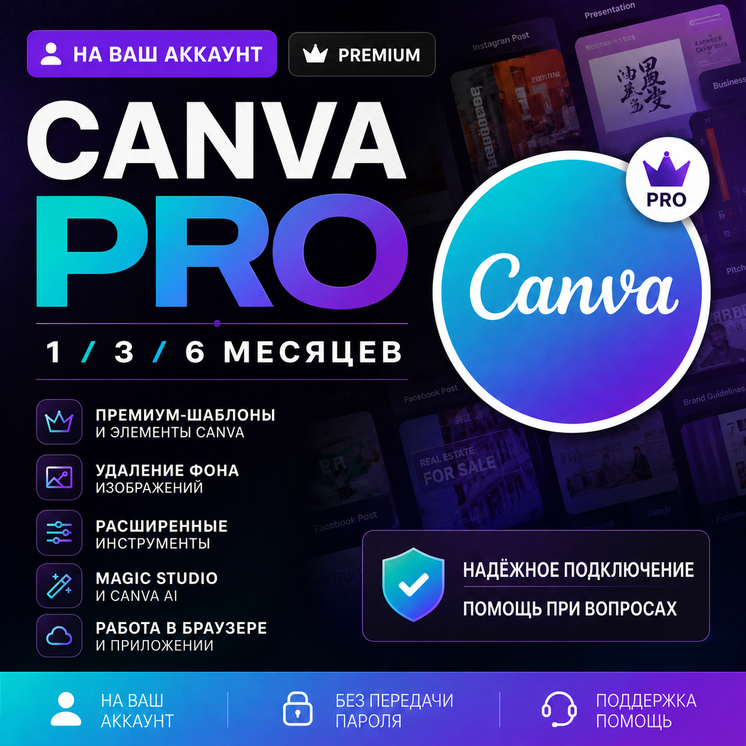
🔥 Canva Pro — premium feature access for 1, 3, or 6 months
Access is added to your personal Canva account through an invitation to a Canva team.
Before payment:
1️⃣ Enter the email address linked to the correct Canva account.
2️⃣ Select the required access period: 1, 3, 6 or 12 months.
⚠️ This is a team-based access format. Premium features will be available inside the connected Canva team.
This is not a pre-created account with someone else’s login details. You do not need to provide your password, verification code or email account access.
━━━━━━━━━━━━━━━━━━
🎨 Included features:
✅ Premium Canva templates and elements
✅ Background remover
✅ Magic Resize
✅ Advanced editing tools
✅ Available Magic Studio and Canva AI features
✅ Presentations, videos, documents and designs
✅ Browser and Canva app support
✅ Custom font upload upon request
✅ Access for the selected period: 1, 3 or 6 months
The availability and limits of individual Canva AI features may change.
━━━━━━━━━━━━━━━━━━
⚡ Access format:
👤 Added to your personal Canva account
📩 Invitation sent to the email entered during checkout
🔐 No password required
⏱ Access period depends on the selected option
🛠 Support in case of activation issues
━━━━━━━━━━━━━━━━━━
🔤 Custom font upload:
Upon request, we can upload your custom fonts to the connected Canva team.
Send the seller a ZIP archive containing the font files in TTF or OTF format through the order chat.
After the upload, the fonts will become available inside the connected Canva team.
⚠️ Only send fonts that you are legally permitted to use.
━━━━━━━━━━━━━━━━━━
🔑 Activation process:
1️⃣ Enter your Canva account email and select the access period.
2️⃣ Complete the payment.
3️⃣ We will send a Canva team invitation to the provided email address.
4️⃣ Sign in to the correct Canva account.
5️⃣ Open and accept the invitation.
6️⃣ Switch to the connected Canva team.
7️⃣ Check that premium features are available.
━━━━━━━━━━━━━━━━━━
⏱ Connection time:
Invitations are sent manually daily from 10:00 to 22:00 Moscow time.
Orders placed outside support hours will be processed after support opens.
━━━━━━━━━━━━━━━━━━
⚠️ Important:
— check the email address carefully before payment;
— provide the email address of the account you want to connect;
— do not provide your password, verification code or email login details;
— premium features work inside the connected team;
— do not leave the team;
— do not delete the connected team;
— do not share the invitation with another person;
— sign in to the correct account before accepting the invitation;
— we recommend keeping backups of important projects.
If the invitation does not arrive or premium features are unavailable, contact the seller through the order chat and provide a screenshot.
━━━━━━━━━━━━━━━━━━
🛡 Warranty:
The warranty is valid for the selected access period.
If access is lost before the end of the paid period, contact the seller and provide:
— your Canva account email;
— the selected access period;
— a screenshot of the teams section;
— a description of the issue.
After verification, we will help restore access or reconnect the account.
The warranty does not cover cases where the user leaves the team, deletes the team or shares the invitation with another person.
━━━━━━━━━━━━━━━━━━
🔁 Refund policy:
After the invitation has been accepted and access has been successfully added, the digital product is considered used.
If an issue occurs before successful activation, contact the seller through the order chat.
━━━━━━━━━━━━━━━━━━
💬 Support:
Support is available daily from 10:00 to 22:00 Moscow time.
If you have any questions about activation, Canva features or custom font uploads, contact us through the order chat. We will help you resolve the issue.
After successful activation, we would appreciate you
Access is added to your personal Canva account through an invitation to a Canva team.
Before payment:
1️⃣ Enter the email address linked to the correct Canva account.
2️⃣ Select the required access period: 1, 3, 6 or 12 months.
⚠️ This is a team-based access format. Premium features will be available inside the connected Canva team.
This is not a pre-created account with someone else’s login details. You do not need to provide your password, verification code or email account access.
━━━━━━━━━━━━━━━━━━
🎨 Included features:
✅ Premium Canva templates and elements
✅ Background remover
✅ Magic Resize
✅ Advanced editing tools
✅ Available Magic Studio and Canva AI features
✅ Presentations, videos, documents and designs
✅ Browser and Canva app support
✅ Custom font upload upon request
✅ Access for the selected period: 1, 3 or 6 months
The availability and limits of individual Canva AI features may change.
━━━━━━━━━━━━━━━━━━
⚡ Access format:
👤 Added to your personal Canva account
📩 Invitation sent to the email entered during checkout
🔐 No password required
⏱ Access period depends on the selected option
🛠 Support in case of activation issues
━━━━━━━━━━━━━━━━━━
🔤 Custom font upload:
Upon request, we can upload your custom fonts to the connected Canva team.
Send the seller a ZIP archive containing the font files in TTF or OTF format through the order chat.
After the upload, the fonts will become available inside the connected Canva team.
⚠️ Only send fonts that you are legally permitted to use.
━━━━━━━━━━━━━━━━━━
🔑 Activation process:
1️⃣ Enter your Canva account email and select the access period.
2️⃣ Complete the payment.
3️⃣ We will send a Canva team invitation to the provided email address.
4️⃣ Sign in to the correct Canva account.
5️⃣ Open and accept the invitation.
6️⃣ Switch to the connected Canva team.
7️⃣ Check that premium features are available.
━━━━━━━━━━━━━━━━━━
⏱ Connection time:
Invitations are sent manually daily from 10:00 to 22:00 Moscow time.
Orders placed outside support hours will be processed after support opens.
━━━━━━━━━━━━━━━━━━
⚠️ Important:
— check the email address carefully before payment;
— provide the email address of the account you want to connect;
— do not provide your password, verification code or email login details;
— premium features work inside the connected team;
— do not leave the team;
— do not delete the connected team;
— do not share the invitation with another person;
— sign in to the correct account before accepting the invitation;
— we recommend keeping backups of important projects.
If the invitation does not arrive or premium features are unavailable, contact the seller through the order chat and provide a screenshot.
━━━━━━━━━━━━━━━━━━
🛡 Warranty:
The warranty is valid for the selected access period.
If access is lost before the end of the paid period, contact the seller and provide:
— your Canva account email;
— the selected access period;
— a screenshot of the teams section;
— a description of the issue.
After verification, we will help restore access or reconnect the account.
The warranty does not cover cases where the user leaves the team, deletes the team or shares the invitation with another person.
━━━━━━━━━━━━━━━━━━
🔁 Refund policy:
After the invitation has been accepted and access has been successfully added, the digital product is considered used.
If an issue occurs before successful activation, contact the seller through the order chat.
━━━━━━━━━━━━━━━━━━
💬 Support:
Support is available daily from 10:00 to 22:00 Moscow time.
If you have any questions about activation, Canva features or custom font uploads, contact us through the order chat. We will help you resolve the issue.
After successful activation, we would appreciate you
No feedback yet