Nexus OS: Premium Freelancer Business OS & Client Portal in Notion
Content: text (0 symbol)
Uploaded: 13.08.2026
Positive responses: 0
Negative responses: 0
Sold: 0
Refunds: 0
~ $29
The exact amount is on the payment page
Take full control of your freelance business with Nexus OS — the ultimate, premium Notion ecosystem designed for professional freelancers, developers, designers, and agencies.
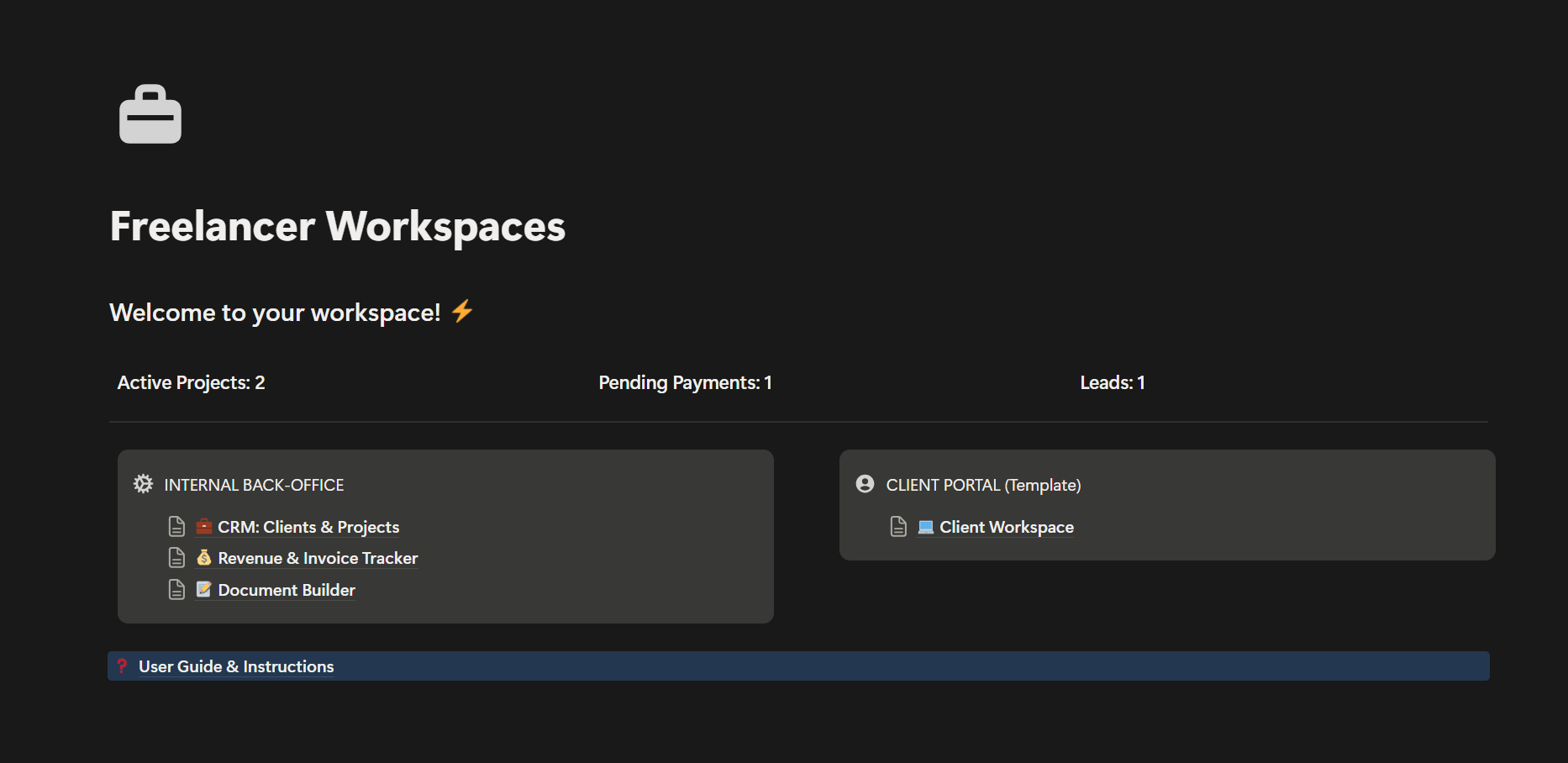
Stop losing money to unbilled client requests and disorganized workflows. The system is strictly divided into two powerful environments: a private hub to run your business and an interactive portal to impress your clients.
🔥 KEY FEATURE: THE SCOPE CREEP PROTECTION
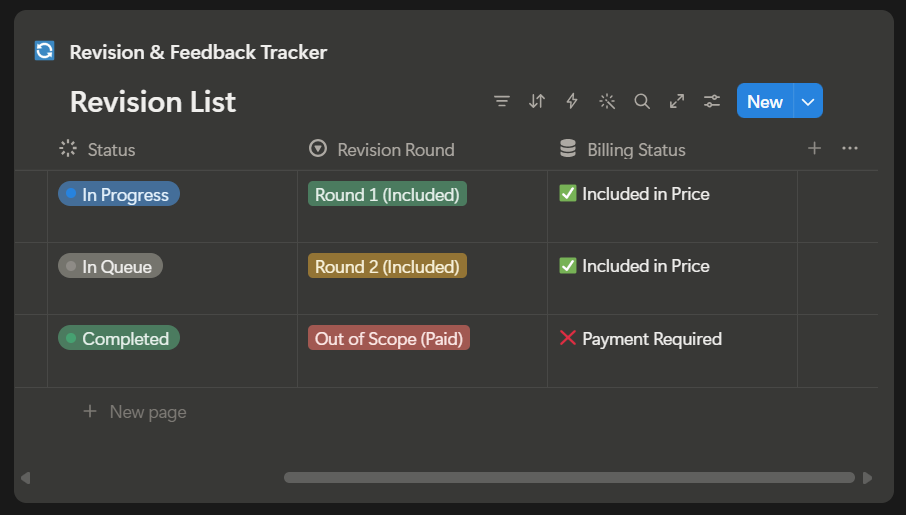
No more endless free revisions! The built-in interactive Client Portal features a 1-click SOW Generator and an automated smart Revision Tracker. When a client requests changes beyond your agreed limit, the system automatically triggers a red "❌ Payment Required" billing status. This removes awkward money conversations and ensures you get paid for every extra hour of work.
📦 WHAT’S INSIDE THE WORKSPACE:
1️⃣ INTERNAL BACK-OFFICE (For Your Eyes Only)
• Advanced Client & Project CRM: Track your leads, active projects, budgets, and deadlines in one synchronized view.
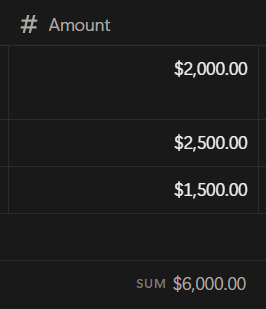
• Revenue & Invoice Tracker: Monitor your cash flow, upcoming payments, and total earnings effortlessly.
• Premium Document Builder: Ready-to-use professional templates including Project Contracts, Handover & Acceptance Acts, and an in-depth Discovery Brief Questionnaire.
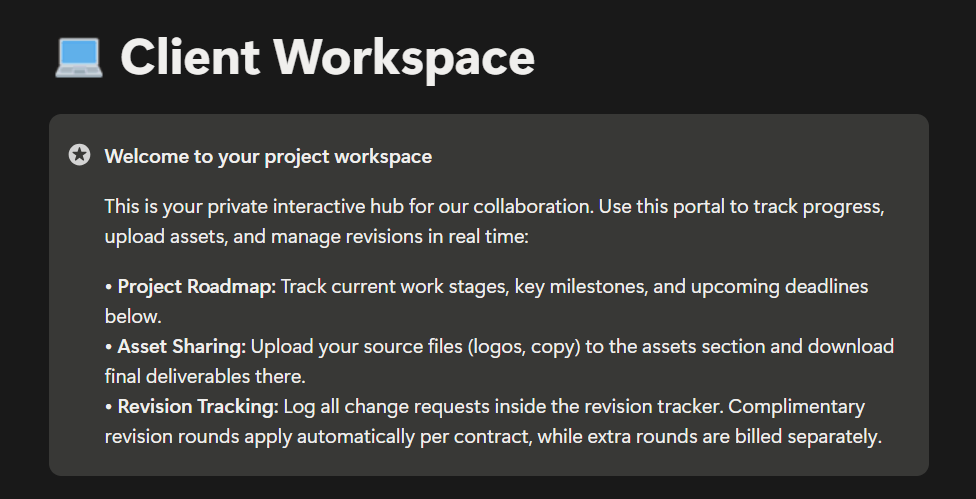
2️⃣ INTERACTIVE CLIENT PORTAL (Sharable Workspace)
• Onboarding Hub: A sleek, professional dashboard to welcome your clients and set clear boundaries.
• Shared Project Roadmap: Visual timeline to keep your clients aligned with current milestones.
• Automated SOW Generator & Smart Revision List: The ultimate system to track feedback and handle out-of-scope tasks automatically.
💎 WHY CHOOSE NEXUS OS?
• Clean, premium dark-themed minimalist design.
• 100% interconnected database architecture with zero manual duplication.
• Step-by-step User Guide & Instructions included right inside the template.
• Adaptable currency fields to match your global region.
Stop losing money to unbilled client requests and disorganized workflows. The system is strictly divided into two powerful environments: a private hub to run your business and an interactive portal to impress your clients.
🔥 KEY FEATURE: THE SCOPE CREEP PROTECTION
No more endless free revisions! The built-in interactive Client Portal features a 1-click SOW Generator and an automated smart Revision Tracker. When a client requests changes beyond your agreed limit, the system automatically triggers a red "❌ Payment Required" billing status. This removes awkward money conversations and ensures you get paid for every extra hour of work.
📦 WHAT’S INSIDE THE WORKSPACE:
1️⃣ INTERNAL BACK-OFFICE (For Your Eyes Only)
• Advanced Client & Project CRM: Track your leads, active projects, budgets, and deadlines in one synchronized view.
• Revenue & Invoice Tracker: Monitor your cash flow, upcoming payments, and total earnings effortlessly.
• Premium Document Builder: Ready-to-use professional templates including Project Contracts, Handover & Acceptance Acts, and an in-depth Discovery Brief Questionnaire.
2️⃣ INTERACTIVE CLIENT PORTAL (Sharable Workspace)
• Onboarding Hub: A sleek, professional dashboard to welcome your clients and set clear boundaries.
• Shared Project Roadmap: Visual timeline to keep your clients aligned with current milestones.
• Automated SOW Generator & Smart Revision List: The ultimate system to track feedback and handle out-of-scope tasks automatically.
💎 WHY CHOOSE NEXUS OS?
• Clean, premium dark-themed minimalist design.
• 100% interconnected database architecture with zero manual duplication.
• Step-by-step User Guide & Instructions included right inside the template.
• Adaptable currency fields to match your global region.
How to access your template:
1. Right after the payment, you will instantly receive a link to the product.
2. Open the link in your browser (make sure you are logged into your Notion account).
3. Click the "Duplicate" button in the top right corner to copy Nexus OS into your own workspace.
4. Follow the step-by-step User Guide included right inside the template to get started instantly!
1. Right after the payment, you will instantly receive a link to the product.
2. Open the link in your browser (make sure you are logged into your Notion account).
3. Click the "Duplicate" button in the top right corner to copy Nexus OS into your own workspace.
4. Follow the step-by-step User Guide included right inside the template to get started instantly!
🎁 GET 5% CASHBACK FOR POSITIVE FEEDBACK!
Leave a positive review after your purchase, and the system will automatically return 5% of the price ($1.45) to your Digiseller balance for future shopping!
Leave a positive review after your purchase, and the system will automatically return 5% of the price ($1.45) to your Digiseller balance for future shopping!
No feedback yet