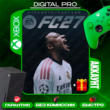
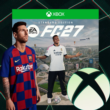
🆕 EA SPORTS FC 27 Ultimate Edition [XBOX ONE X|S & XBOX SERIES X|S]
Content: text (0 symbol)
Available: 1
Uploaded:
Positive responses: 0
Negative responses: 0
Sold: 0
Refunds: 0
Seller: ND#GAMES
information about the seller and its items
Loyalty discount! If the total amount of your purchases from the seller more than:
| $10 | the discount is | 11% |
| $25 | the discount is | 12% |
| $50 | the discount is | 13% |
| $100 | the discount is | 15% |
~ $13.75
The exact amount is on the payment page


📋 BEFORE PURCHASING, READ THE FULLY DESCRIPTION AND RULES TO THE PRODUCT.
✅ You are purchasing a Shared Account,
✅ Games are launched using the “Screen Time” method (parental control) at any time convenient for you.
💬 Questions you are interested in, it is better to ask before buying! We work every day!
🌟 Why Choose ND#GAMES? 🌟
❤️ More than 9 years in the digital goods market | 💰 Affordable prices
🚀 Instant Email | 🎁 CASHBACK for review
👍 Guaranteed technical support | 😎 Discounts for regular customers
💚 17000 successful sales | ⭐️ More than 3500 review
🆒 Warranty Period | Access 12 Months from the date of purchase
☑️ Account for gaming consoles XBOX ONE X|S & XBOX SERIES X|S with game(s):
🎮 EA SPORTS FC™ 27 Ultimate Edition
📓 Publisher: Electronic Arts
🔎 Category: Sports
📆 Release date: 18.09.2026
📄 Interface: RUS|ENG • 🔊 Audio: ENG • 🔤 Subtitles: RUS|ENG
📝 Game Description: Welcome to The World’s Game in EA SPORTS FC™ 27.
Feel greater control in every game mode with more fluid, true-to-life gameplay, featuring dynamic corners, enhanced attacking awareness, player-focused defending tailored for competitive play, and more community-driven innovations.
Sign your next star in Manager Career through a rebuilt Transfer Market with realistic player values and active club bidding. Master new negotiation tactics, including performance and buy-back clauses, as Dynamic OVRs reflect player form, morale, and fitness across every club.
Immortalise your dream club in Football Ultimate Team™ with the brand-new FUT Gallery. Curate your favourite Player Items to grow your Gallery Level, earn rewards, and build your Club’s identity throughout the new football season.
Experience unrivalled authenticity in EA SPORTS FC™ 27, with match data from the world’s top leagues powering 21,000+ licensed players.
📌 RULES:
ℹ️ After payment, you must send a unique code to the seller in a message, after which we will log you into account.
ℹ️ We login to account using the Microsoft website http://microsoft.com/link. You must send the code to seller from the console by clicking "Use another device."
ℹ️ One payment - One console (second and subsequent devices are charged again)
◾ By purchasing an Account, you automatically agree to the information and rules.
⚠️ Instructions for entering and a way to launch games can read below [ Additional Description ⬇️ Must Read ], also on the page of the paid product is available "Instructions for use".
✅ You are purchasing a Shared Account,
✅ Games are launched using the “Screen Time” method (parental control) at any time convenient for you.
💬 Questions you are interested in, it is better to ask before buying! We work every day!
🌟 Why Choose ND#GAMES? 🌟
❤️ More than 9 years in the digital goods market | 💰 Affordable prices
🚀 Instant Email | 🎁 CASHBACK for review
👍 Guaranteed technical support | 😎 Discounts for regular customers
💚 17000 successful sales | ⭐️ More than 3500 review
🆒 Warranty Period | Access 12 Months from the date of purchase
☑️ Account for gaming consoles XBOX ONE X|S & XBOX SERIES X|S with game(s):
🎮 EA SPORTS FC™ 27 Ultimate Edition
📓 Publisher: Electronic Arts
🔎 Category: Sports
📆 Release date: 18.09.2026
📄 Interface: RUS|ENG • 🔊 Audio: ENG • 🔤 Subtitles: RUS|ENG
📝 Game Description: Welcome to The World’s Game in EA SPORTS FC™ 27.
Feel greater control in every game mode with more fluid, true-to-life gameplay, featuring dynamic corners, enhanced attacking awareness, player-focused defending tailored for competitive play, and more community-driven innovations.
Sign your next star in Manager Career through a rebuilt Transfer Market with realistic player values and active club bidding. Master new negotiation tactics, including performance and buy-back clauses, as Dynamic OVRs reflect player form, morale, and fitness across every club.
Immortalise your dream club in Football Ultimate Team™ with the brand-new FUT Gallery. Curate your favourite Player Items to grow your Gallery Level, earn rewards, and build your Club’s identity throughout the new football season.
Experience unrivalled authenticity in EA SPORTS FC™ 27, with match data from the world’s top leagues powering 21,000+ licensed players.
📌 RULES:
ℹ️ After payment, you must send a unique code to the seller in a message, after which we will log you into account.
ℹ️ We login to account using the Microsoft website http://microsoft.com/link. You must send the code to seller from the console by clicking "Use another device."
ℹ️ One payment - One console (second and subsequent devices are charged again)
◾ By purchasing an Account, you automatically agree to the information and rules.
⚠️ Instructions for entering and a way to launch games can read below [ Additional Description ⬇️ Must Read ], also on the page of the paid product is available "Instructions for use".
📌 RULES:
ℹ️ After payment, you must send a unique code to the seller in a message, after which we will log you into account.
ℹ️ We login to account using the Microsoft website http://microsoft.com/link. You must send the code to seller from the console by clicking "Use another device."
ℹ️ One payment - One console (second and subsequent devices are charged again)
◾️ This is a Shared Account. Online game and expansions [dlc] may not work, the seller is not responsible for this.
◾ Using this account, you can play the game on your personal profile, unlock achievements and save gameplay.
◾ By purchasing an Account, you automatically agree to the information and rules.
⛔ FORBIDDEN:
◾ Setting your device´s home profile is prohibited.
◾ Play from the purchased Account, it only serves to download and run games;
◾ Login on any device other than the XBOX SERIES X|S console; [You don´t have access to Xbox.com]
◾ Try to change any data on the Account;
◾ Use the Account on more than one console.
[For violation of these rules, you will lose access to our account without a refund! Also in technical support for any questions you will be REFUSED!]
✔️ We will REPLACE your product if:
◾ The login/password is incorrect;
◾ The product does not match the description.
❌ Replacement of goods or Refund is IMPOSSIBLE if:
◾ Bought “By Mistake” the wrong product;
◾ Violated the RULES;
◾ Didn´t like the game on the profile;
◾ Didn´t like the launch method;
◾ Didn´t read the description before buying;
◾ "Disconnections" occur during the game.
😊 We will be grateful if you leave a review.
✔️ HOW TO LOGIN AND INSTALL THE GAME:
— Turn on the console, log into your personal account;
— Settings (options) - "General" - "Network settings" - "Disconnect from the network" - press "B";
— "System" - "Time" - change the time from 3:00 am to 8:00 am;
— Settings (options) - "General" - "Network settings" - "Connect to the network" (wait until it is fully connected);
— Press the "GUIDE" button, move "Profile and system" to the right;
— Select "Add or change";
— At the end of the list "+Add new";
— Select "Use another device."
— Text to seller the code that appears on the screen.
— Wait a couple of minutes for a response from the seller to continue the process according to the instructions.
— "Use of your data" - "Continue"; "We found the settings for your last Xbox account!" - "No thanks";
- "Help improve Xbox" - "No thanks";
- "When sending data to publishers" - "Continue";
- "We found the settings for your last Xbox account. Apply them now?" - "No thanks";
- "Sign-in settings and security" - "NO RESTRICTIONS";
- "How should I sign in?" - "Skip";
- "Did you get a code?" - "I don´t have one";
- Click the "GUIDE" button, "My games and apps", see all;
- Full library, "All custom games";
- Find the game you bought, click on it, "Install all" the game starts downloading to your console;
- Log out of the purchased account, remain only in your account;
- Settings (options) - "System" - "Time" - set the usual time zone.
✔️ HOW TO START THE GAME:
— The time on the console should be from 8:00 am to 3:00 am!
— Log in to the purchased account, the "Extend screen time" window should appear - click "Next" (if the Close button appears, log in to the account again);
— Settings (options) - "General" - "Network settings" - "Disconnect from the network" - click "B";
— "System" - "Time" - change the time from 3:00 am to 8:00 am;
— Log in to the purchased account again;
— Switch to your personal account;
— Settings (options) - "General" - "Network settings" - "Connect to the network" (wait until it is fully connected);
— Go to the main screen and launch the game
(If the error "The game is running elsewhere" appears, click "Play here");
- Wait for the game to load and log out of the shared account.
ℹ️ After payment, you must send a unique code to the seller in a message, after which we will log you into account.
ℹ️ We login to account using the Microsoft website http://microsoft.com/link. You must send the code to seller from the console by clicking "Use another device."
ℹ️ One payment - One console (second and subsequent devices are charged again)
◾️ This is a Shared Account. Online game and expansions [dlc] may not work, the seller is not responsible for this.
◾ Using this account, you can play the game on your personal profile, unlock achievements and save gameplay.
◾ By purchasing an Account, you automatically agree to the information and rules.
⛔ FORBIDDEN:
◾ Setting your device´s home profile is prohibited.
◾ Play from the purchased Account, it only serves to download and run games;
◾ Login on any device other than the XBOX SERIES X|S console; [You don´t have access to Xbox.com]
◾ Try to change any data on the Account;
◾ Use the Account on more than one console.
[For violation of these rules, you will lose access to our account without a refund! Also in technical support for any questions you will be REFUSED!]
✔️ We will REPLACE your product if:
◾ The login/password is incorrect;
◾ The product does not match the description.
❌ Replacement of goods or Refund is IMPOSSIBLE if:
◾ Bought “By Mistake” the wrong product;
◾ Violated the RULES;
◾ Didn´t like the game on the profile;
◾ Didn´t like the launch method;
◾ Didn´t read the description before buying;
◾ "Disconnections" occur during the game.
😊 We will be grateful if you leave a review.
✔️ HOW TO LOGIN AND INSTALL THE GAME:
— Turn on the console, log into your personal account;
— Settings (options) - "General" - "Network settings" - "Disconnect from the network" - press "B";
— "System" - "Time" - change the time from 3:00 am to 8:00 am;
— Settings (options) - "General" - "Network settings" - "Connect to the network" (wait until it is fully connected);
— Press the "GUIDE" button, move "Profile and system" to the right;
— Select "Add or change";
— At the end of the list "+Add new";
— Select "Use another device."
— Text to seller the code that appears on the screen.
— Wait a couple of minutes for a response from the seller to continue the process according to the instructions.
— "Use of your data" - "Continue"; "We found the settings for your last Xbox account!" - "No thanks";
- "Help improve Xbox" - "No thanks";
- "When sending data to publishers" - "Continue";
- "We found the settings for your last Xbox account. Apply them now?" - "No thanks";
- "Sign-in settings and security" - "NO RESTRICTIONS";
- "How should I sign in?" - "Skip";
- "Did you get a code?" - "I don´t have one";
- Click the "GUIDE" button, "My games and apps", see all;
- Full library, "All custom games";
- Find the game you bought, click on it, "Install all" the game starts downloading to your console;
- Log out of the purchased account, remain only in your account;
- Settings (options) - "System" - "Time" - set the usual time zone.
✔️ HOW TO START THE GAME:
— The time on the console should be from 8:00 am to 3:00 am!
— Log in to the purchased account, the "Extend screen time" window should appear - click "Next" (if the Close button appears, log in to the account again);
— Settings (options) - "General" - "Network settings" - "Disconnect from the network" - click "B";
— "System" - "Time" - change the time from 3:00 am to 8:00 am;
— Log in to the purchased account again;
— Switch to your personal account;
— Settings (options) - "General" - "Network settings" - "Connect to the network" (wait until it is fully connected);
— Go to the main screen and launch the game
(If the error "The game is running elsewhere" appears, click "Play here");
- Wait for the game to load and log out of the shared account.
No feedback yet