The Elder Scrolls Online Standard Edition PC Steam CD Key
Положительные отзывы: 0
Отрицательные отзывы: 0
Продано: 0
Возвраты: 0
~ $3.08
Точная сумма — на странице оплаты
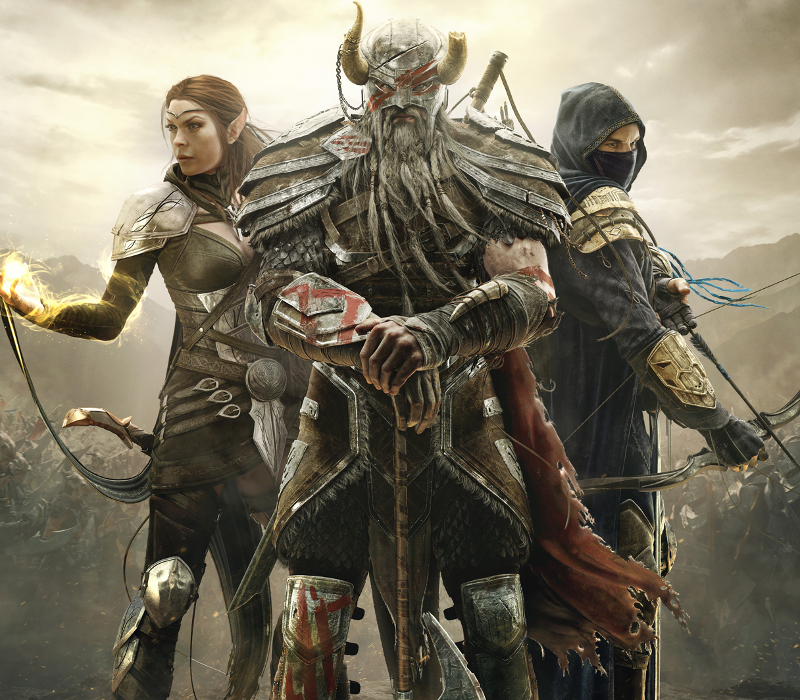
🔥 **GET "The Elder Scrolls Online Standard Edition PC Steam CD Key" INSTANTLY!** 🔥
⚡ **Digital Code • Instant • Easy Activation**
Looking for **"The Elder Scrolls Online Standard Edition PC Steam CD Key"**? Get your digital code instantly after payment and activate it according to the product´s redemption instructions.
⚡ **Digital Code • Instant • Easy Activation**
Looking for **"The Elder Scrolls Online Standard Edition PC Steam CD Key"**? Get your digital code instantly after payment and activate it according to the product´s redemption instructions.
### 🎁 WHAT YOU GET
✔️ **Product:** "The Elder Scrolls Online Standard Edition PC Steam CD Key"
✔️ **Platform:** Steam
✔️ **Region:** REGION FREE
✔️ **Product Type:** Digital Code / Key
✔️ ** :** ⚡ Instant Digital
✔️ **Activation:** Redeem the delivered digital code/key on the supported platform or service.
### ✨ PRODUCT HIGHLIGHTS
🚀 Instant digital
🔑 Digital activation code/key
👤 Use with your own compatible account
📦 No physical product — digital only
⚡ Quick and easy activation
🛡️ Product delivered as described in the listing
✔️ **Product:** "The Elder Scrolls Online Standard Edition PC Steam CD Key"
✔️ **Platform:** Steam
✔️ **Region:** REGION FREE
✔️ **Product Type:** Digital Code / Key
✔️ ** :** ⚡ Instant Digital
✔️ **Activation:** Redeem the delivered digital code/key on the supported platform or service.
### ✨ PRODUCT HIGHLIGHTS
🚀 Instant digital
🔑 Digital activation code/key
👤 Use with your own compatible account
📦 No physical product — digital only
⚡ Quick and easy activation
🛡️ Product delivered as described in the listing
### ℹ️ PRODUCT INFO
🎮 **Developer:** Zenimax Online Studios
🏢 **Publisher:** Bethesda Softworks
🎭 **Genre:** Adventure, RPG, MMO
🌐 **Languages:** German, English, French
📅 **Release Date:** 2017-06-06
🎮 **Developer:** Zenimax Online Studios
🏢 **Publisher:** Bethesda Softworks
🎭 **Genre:** Adventure, RPG, MMO
🌐 **Languages:** German, English, French
📅 **Release Date:** 2017-06-06
### 🔑 HOW IT WORKS
1️⃣ Purchase **"The Elder Scrolls Online Standard Edition PC Steam CD Key"**.
2️⃣ Receive your digital code/key after successful payment.
3️⃣ Follow the activation instructions in Additional Information.
4️⃣ Redeem the code on the supported platform/account.
5️⃣ Enjoy your product! 🎉
### ⚠️ IMPORTANT
✔️ Check the **product, platform, duration, and region** before purchasing.
✔️ Make sure the product is compatible with your account before redemption.
✔️ Region restrictions may apply depending on the product.
✔️ Digital codes/keys are delivered electronically; no physical item will be shipped.
✔️ Keep your code/key private after .
✔️ If you experience an issue with the code, **contact support before attempting repeated or unauthorized redemption attempts**.
💬 **Need help? Contact support — we´re here to help with activation.**
1️⃣ Purchase **"The Elder Scrolls Online Standard Edition PC Steam CD Key"**.
2️⃣ Receive your digital code/key after successful payment.
3️⃣ Follow the activation instructions in Additional Information.
4️⃣ Redeem the code on the supported platform/account.
5️⃣ Enjoy your product! 🎉
### ⚠️ IMPORTANT
✔️ Check the **product, platform, duration, and region** before purchasing.
✔️ Make sure the product is compatible with your account before redemption.
✔️ Region restrictions may apply depending on the product.
✔️ Digital codes/keys are delivered electronically; no physical item will be shipped.
✔️ Keep your code/key private after .
✔️ If you experience an issue with the code, **contact support before attempting repeated or unauthorized redemption attempts**.
💬 **Need help? Contact support — we´re here to help with activation.**
🔑 **ACTIVATION / REDEMPTION INSTRUCTIONS**
✔️ Go to: http://store.steampowered.com/ and download STEAM client Click "Install Steam" (from the upper right corner) Install and start application, login with your Account name and Password (create one if you don´t have).
✔️ Please follow these instructions to activate a new retail purchase on Steam: Launch Steam and log into your Steam account.
✔️ Click the Games Menu.
✔️ Choose Activate a Product on Steam..
✔️ Follow the onscreen instructions to complete the process.
✔️ After successful code verification go to the "MY GAMES" tab and start downloading.
✔️ Go to: http://store.steampowered.com/ and download STEAM client Click "Install Steam" (from the upper right corner) Install and start application, login with your Account name and Password (create one if you don´t have).
✔️ Please follow these instructions to activate a new retail purchase on Steam: Launch Steam and log into your Steam account.
✔️ Click the Games Menu.
✔️ Choose Activate a Product on Steam..
✔️ Follow the onscreen instructions to complete the process.
✔️ After successful code verification go to the "MY GAMES" tab and start downloading.
🌍 **COUNTRY RESTRICTIONS**
No additional country restriction was provided.
No additional country restriction was provided.
Отзывов от покупателей не поступало