Discord Nitro Gift (1–12 Months) | 24/7
Content: text (0 symbol)
Available: 1
Uploaded:
Positive responses: 0
Negative responses: 0
Sold: 0
Refunds: 0
~ $4.68
The exact amount is on the payment page

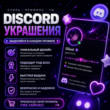
💎 DISCORD NITRO FULL / BASIC | 1–12 MONTHS 💎
🎁 GIFTED DIRECTLY TO YOUR DISCORD ACCOUNT
🔐 Account login is NOT required!
Nitro is sent as a gift directly to your Discord account. You do not need to share your password or grant access to your account.
✨ What is Discord Nitro?
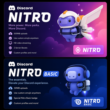
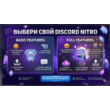
Discord Nitro is a premium Discord subscription that enhances your account capabilities and adds extra features for communication, your profile, servers, and file uploads. 🚀 Key benefits of Nitro Full:
• 🎭 Custom and animated emojis on any server
• 🎟️ Custom stickers & 300 Nitro stickers
• 📁 File uploads up to 100 MB
• 🖥️ HD screen streaming
• ⚡ 2 Server Boosts & 30% off extra Boosts
• 🖼️ Animated avatar, banner, and advanced profile customization
• 🎨 Server profiles
• 🏅 Exclusive Nitro badge
• 🎥 Custom video background
• 🎮 Access to events and extra activities
• 🌐 Join up to 200 servers
• 📝 Messages up to 4,000 characters
• 💥 5 Super Reactions per week
🔹 Discord Nitro Basic:
• 🎭 Custom emojis
• 🏅 Nitro badge
• 📤 Increased file upload limit
• 💥 2 Super Reactions per week
━━━━━━━━━━━━━━━━━━
🛒 PURCHASE TERMS
🎁 method: gift sent to your Discord account
🔐 Account login: NOT required
🌍 Region: no restrictions
⏳ Duration: 1 to 12 months
🇷🇺 Activation available in Russia
🛡️ Warranty: valid for the entire subscription period
⚡ Activation time: usually 1 to 60 minutes
🔧 HOW DOES THE PURCHASE WORK?
1️⃣ Place and pay for your order.
2️⃣ Send the necessary details to receive the gift via the order chat.
3️⃣ The Discord Nitro gift is sent directly to your account.
4️⃣ Accept the gift and activate the subscription. ✅ Your account password is not required.
✅ Logging into your account is not required.
🎁 Nitro is delivered directly to your Discord account as a gift.
🎁 GIFTED DIRECTLY TO YOUR DISCORD ACCOUNT
🔐 Account login is NOT required!
Nitro is sent as a gift directly to your Discord account. You do not need to share your password or grant access to your account.
✨ What is Discord Nitro?
Discord Nitro is a premium Discord subscription that enhances your account capabilities and adds extra features for communication, your profile, servers, and file uploads. 🚀 Key benefits of Nitro Full:
• 🎭 Custom and animated emojis on any server
• 🎟️ Custom stickers & 300 Nitro stickers
• 📁 File uploads up to 100 MB
• 🖥️ HD screen streaming
• ⚡ 2 Server Boosts & 30% off extra Boosts
• 🖼️ Animated avatar, banner, and advanced profile customization
• 🎨 Server profiles
• 🏅 Exclusive Nitro badge
• 🎥 Custom video background
• 🎮 Access to events and extra activities
• 🌐 Join up to 200 servers
• 📝 Messages up to 4,000 characters
• 💥 5 Super Reactions per week
🔹 Discord Nitro Basic:
• 🎭 Custom emojis
• 🏅 Nitro badge
• 📤 Increased file upload limit
• 💥 2 Super Reactions per week
━━━━━━━━━━━━━━━━━━
🛒 PURCHASE TERMS
🎁 method: gift sent to your Discord account
🔐 Account login: NOT required
🌍 Region: no restrictions
⏳ Duration: 1 to 12 months
🇷🇺 Activation available in Russia
🛡️ Warranty: valid for the entire subscription period
⚡ Activation time: usually 1 to 60 minutes
🔧 HOW DOES THE PURCHASE WORK?
1️⃣ Place and pay for your order.
2️⃣ Send the necessary details to receive the gift via the order chat.
3️⃣ The Discord Nitro gift is sent directly to your account.
4️⃣ Accept the gift and activate the subscription. ✅ Your account password is not required.
✅ Logging into your account is not required.
🎁 Nitro is delivered directly to your Discord account as a gift.
After payment, you will receive a unique 16-digit payment confirmation code.
Follow these steps:
1. Copy the unique code you received after payment.
2. Go to the "Contact Seller" section.
3. Paste the code into the message and click "Send message."
Follow these steps:
1. Copy the unique code you received after payment.
2. Go to the "Contact Seller" section.
3. Paste the code into the message and click "Send message."
No feedback yet